
Build From Source#
In this section, we introduce how to setup the 3DAC web app from source. There are two ways to setup the web app, namely the development mode and the production mode. To deploy the app without modifying its features, the production mode is recommended. Otherwise please setup the app in the development mode.
Note
This tutorial only starts the web app. To start the full 3DAC system, middlewares and backend services like orchestrator, web backend also need to be deployed. We recommend using the docker compose to start all services, check here for more details.
Development Build#
Install Dependencies#
The web app source files are located at app. The package.json contains dependencies to build the app, which can be installed using Node Package Manager(npm) or pnpm, a performant alternative. The installation instructions of nvm can be found here. The app is built using Node.js 18.18. Once you have Node.js correctly configured, install the pnpm:
npm install -g pnpm
Then, install node packages:
# make sure that your current working directory is project root
cd dlp3d.ai

# install node packages using configuration in package.json
pnpm install
Setup SSL Certificates#
Why HTTPS?#
The web app uses microphone of your device. Modern browsers, for security reasons, only allow access to device hardware in secure contexts, such as microphones and cameras.
| Address Type | Example | Access Allowed |
|---|---|---|
| localhost (HTTP) | http://localhost or http://127.0.0.1 |
✅ development exception |
| LAN IP (HTTP) | http://192.168.x.x |
❌ non-secure context |
| LAN IP (HTTPS) | https://192.168.x.x |
✅ requires trust self-signed certificate |
| Public HTTPS Domain | https://example.com |
✅ requires valid certificate |
Generate Certificate#
Make sure that you have openssl installed. Then, execute the following command:
# make sure that your current working directory is project root
cd dlp3d.ai

# create a new directory certificates
mkdir ssl

# generate certificates using openssl
openssl req -x509 -newkey rsa:2048 -nodes \
  -keyout ssl/key.pem \
  -out ssl/cert.pem \
  -days 365

# follow the instructions to complete the certificate generation
The generated certificates will be organized as:
dlp3d.ai/ssl/
├── cert.pem  ← Certificate file
└── key.pem   ← Private key file
Run Web App#
If you deploy and test the app on the same device, i.e., localhost, SSL certificates are not needed. However, if you deploy the app on one device and test it on other devices(LAN IP), a SSL certificate is required.
Localhost#
pnpm run dev
To create a web app window, open the browser and visit https://127.0.0.1:3000.
LAN IP#
pnpm run dev_ws
To create a web app window, open the browser and visit https://${YOUR_IP_ADDRESS}. For the first time visit, the browser may raise an error indicating that the connection is not private. This is because we’re using a self-signed certificate. To bypass the issue, click the Advanced button and click Proceed to 127.0.0.1 (unsafe):
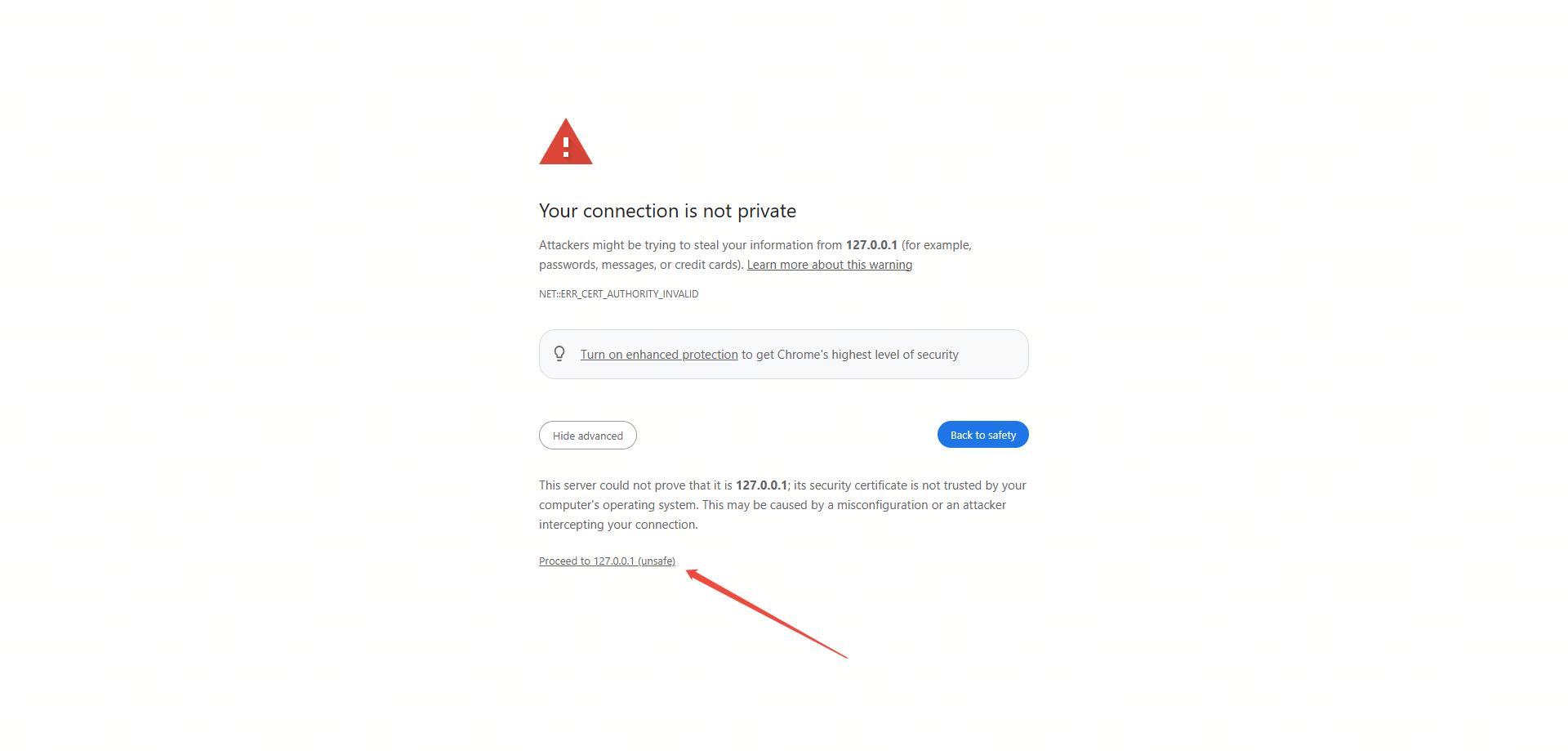
Insecure Connection Error
Once trusted, the site is considered by the browser as a “secure context”.
Production Build#
For the production build, the web app is compiled into a static web page. You can build the app via CLI or with docker image.
CLI Build#
To generate a production build via CLI:
# make sure that your current working directory is project root
cd dlp3d.ai

# build the web page
pnpm run build
The build outputs will be stored in the .next directory. To deploy the web page:
pnpm start
The web page will be served at http://localhost:3000.
GitHub Pages Static Export#
GitHub Pages deployment is an additional static-export mode. It does not replace the CLI or Docker deployment above.
The Pages workflow is defined in .github/workflows/pages.yml and runs only for pushes to main, v* tags, pages-preview-* tags, or manual workflow_dispatch.
The workflow builds with:
DEPLOY_TARGET=github-pages
NEXT_PUBLIC_SITE_BASE_PATH=/dlp3d.ai
NEXT_PUBLIC_ORCHESTRATOR_HOST=u1-api.sensenova.cn
NEXT_PUBLIC_ORCHESTRATOR_PORT=443
NEXT_PUBLIC_ORCHESTRATOR_PATH_PREFIX=/dlp3d-ai/orchestrator
NEXT_PUBLIC_BACKEND_HOST=u1-api.sensenova.cn
NEXT_PUBLIC_BACKEND_PORT=443
NEXT_PUBLIC_BACKEND_PATH_PREFIX=/dlp3d-ai/backend
NEXT_PUBLIC_SITE_BASE_PATH controls the GitHub Pages project path. Use /dlp3d.ai for the maintained hosted site at https://dlp3d-ai.github.io/dlp3d.ai/. Use an empty value only if you intentionally deploy to a root domain.
Static export does not support Next.js API routes. During the Pages workflow, app/api/LLM is temporarily disabled before the build. Docker and CLI standalone builds keep that API route available.
Docker Build#
To generate a production build via docker:
# make sure that your current working directory is project root
cd dlp3d.ai

# build the docker image and add tag
docker build -f ./dockerfiles/web/Dockerfile . -t dlp3d_web:dev
This will automatically build a docker image tagged as dlp3d_web:dev. To start the docker image:
docker run dlp3d_web:dev -p 3000:3000
The web page will be served at http://localhost:3000.